Integrations
GetCookies integrations
GetCookies runs on any website that lets you add a script to the page head. On top of that there are downloadable CMS plugins, a Google Tag Manager template, consent signals for Google and ad platforms, and developer tools. Each entry below links to its setup guide.
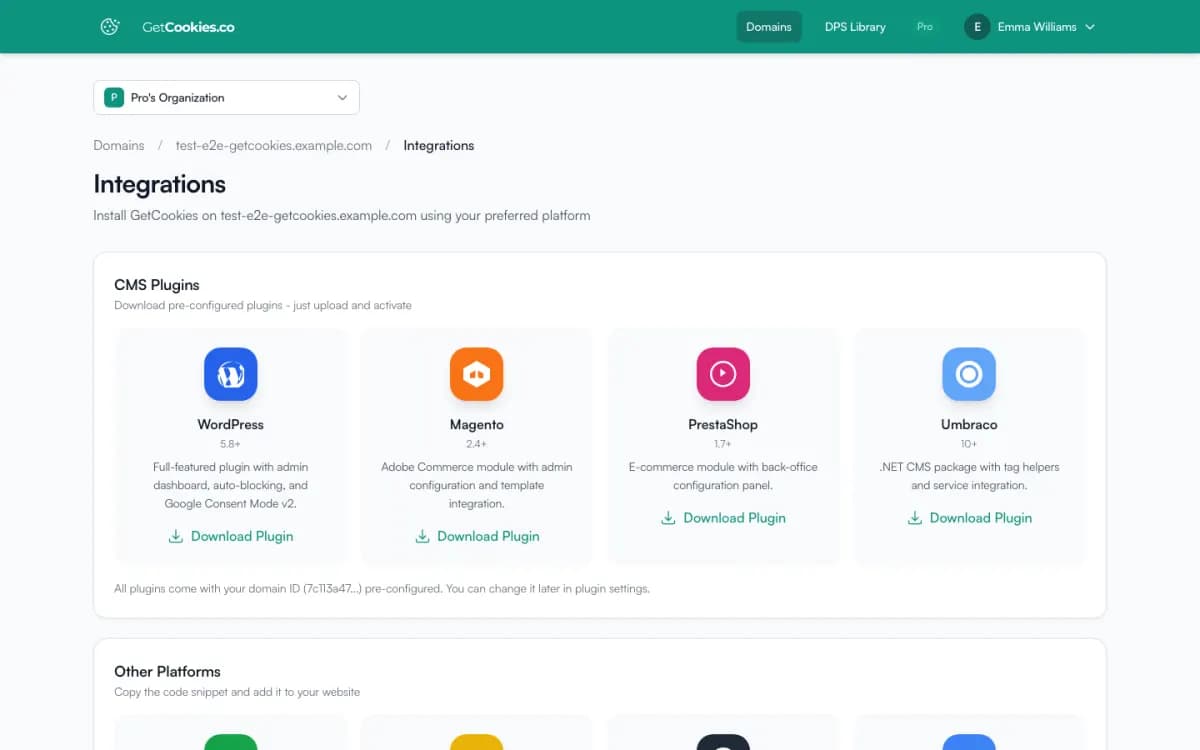
CMS plugins
Download these from your dashboard under Domains, Integrations. Your domain ID is filled in for you.
WordPress (5.8+)
Plugin with an admin screen, automatic blocking and Google Consent Mode v2. What the plugin does and the WordPress setup guide
Magento / Adobe Commerce (2.4+)
Module with admin configuration and template integration. What the module does and the setup guide
PrestaShop (1.7+)
Module with a back-office configuration panel. What the module does and the setup guide
Umbraco (10+)
.NET package with tag helpers. Umbraco setup guide
Switching from Cookiebot or OneTrust
Import your cookie declarations and categories on the Manual Cookies page: from Cookiebot by its domain group ID or declaration file, from OneTrust by its domain script ID or banner data file. You review everything before it is saved. Switching from Cookiebot
Website builders and frameworks
These platforms do not need a plugin: paste the GetCookies script as the first script in the page head.
Shopify
Add the script to theme.liquid. The banner also passes each choice to Shopify's Customer Privacy API, so Shopify's own analytics, pixels and channel apps follow it. GetCookies for Shopify and the Shopify setup guide
Wix
Settings, Custom Code, Head. Wix setup guide
Squarespace
Code Injection, Header. Requires a Squarespace plan with code injection. Squarespace setup guide
Webflow, Drupal, Joomla and static sites
Add the script to the site-wide head code. Custom HTML guide
Next.js, React and other single-page apps
Load the script before your app and keep blocking working across route changes. Single-page apps guide
Google Tag Manager
Install GetCookies through a GTM tag template with a Consent Initialization trigger (Pro and above). GetCookies for Google Tag Manager and the GTM installation guide
Google Consent Mode v2
Denied-by-default signals updated on every choice, for GA4 and Google Ads, on every plan. Visitor-region detection, URL passthrough and ads data redaction from Pro. How it works
Google Analytics 4 and Google Ads
Configure your tags to respect consent. GA4 and Ads guide
Advertising platforms
IAB TCF 2.3
TC strings and a partner list with a consent and legitimate-interest choice per vendor (Pro and above), switched on once GetCookies is a registered IAB Europe CMP. Until then no TC strings are sent. TCF configuration guide
Ad pixels
When consent changes, the widget updates the consent APIs of Meta Pixel, TikTok, LinkedIn, Pinterest, Snapchat, X, Microsoft Ads and Microsoft Clarity (Consent API v2) if they are on the page, and pushes a getcookies_consent_update event to the dataLayer.
Developers
Developer reference
JavaScript API, Consent Verification API endpoints, rate limits, errors and webhooks on one page. Developers
JavaScript API
Read consent state and listen for changes from your own code, on every plan. JavaScript API guide
REST API
Check a visitor's consent from your server with the Consent Verification API and an API key (Business and above). Developer reference
Webhooks
HMAC-signed consent and scan events (Business and above). Webhook setup and event catalog
SDK, CLI and MCP server
The getcookie-sdk, getcookie-cli and getcookie-mcp packages on npm call the dashboard API with your account's access token. See developers.
Claude Code plugin
Scan sites and manage consent from Claude Code. Claude Code integration
Try GetCookies on your own site
Start on the Free plan: one domain, a cookie scan and a consent banner, no credit card required. Upgrade only when you need more.
Commencer gratuitement