Integration: WordPress
GetCookies for WordPress
The GetCookies WordPress plugin loads the consent banner in the page head with your domain ID and, with auto-blocking on, holds back scripts that WordPress enqueues from known analytics and advertising hosts until the visitor consents. Banner text, design, cookie categories, scans and consent logs are managed in the GetCookies dashboard, not in wp-admin. It needs WordPress 5.8 and PHP 7.4 or later and works on every plan, including Free.
What the plugin does
Loads the banner
Adds the GetCookies loader script to the head of every front-end page with your domain ID.
Auto-blocking (on by default)
Scripts added with
wp_enqueue_scriptfrom Google Analytics, Google Tag Manager, Google Ads and DoubleClick, Meta, X, LinkedIn, Hotjar, Mouseflow, Intercom, Drift and HubSpot, and the embed scripts of Twitter, Instagram, YouTube and TikTok, wait for consent to the matching category. Embedded iframes are not held back.Google Tag Manager
Optionally adds your GTM container. With auto-blocking on, the container waits for analytics consent.
Preferences link
The
[getcookie_preferences]shortcode adds a link that reopens the banner, for a footer or cookie policy page.WooCommerce checkout checkbox (optional)
Turn on WooCommerce checkout checkbox under Advanced Settings to add an unticked marketing-consent checkbox to the classic checkout. The choice and its time are stored with the order. It is off on new installs.
Multisite
Network activation is supported, with a domain ID per site. Banner languages are set in the GetCookies dashboard.
Who it is for
WordPress and WooCommerce sites that want the consent banner, script blocking and consent logs from a hosted dashboard, and agencies running several WordPress sites from one GetCookies account. If you want every setting and log inside wp-admin, a WordPress-native plugin such as Complianz may suit you better; see GetCookies vs Complianz.
Set it up
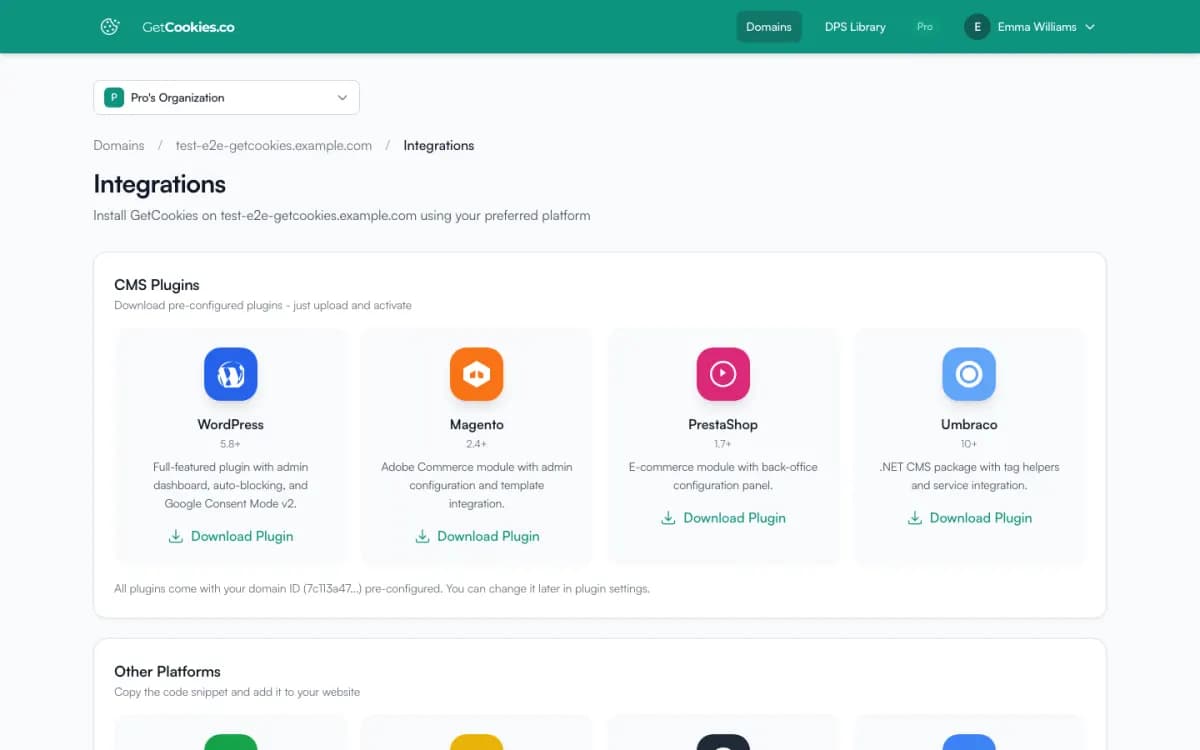
1. In the GetCookies dashboard, open your domain, go to Integrations and download the WordPress plugin. Your domain ID is already in the ZIP.
2. In WordPress, go to Plugins, Add New, Upload Plugin, choose the ZIP and activate it.
3. Open GetCookies, Settings and check the domain ID. Leave auto-blocking on.
4. Open your site in a private window: the banner should appear and tracking scripts should wait until you accept. The full walkthrough, including caching plugins and multisite, is in the WordPress setup guide.
Limits
Not in the WordPress.org directory
The plugin is downloaded from your dashboard and updated by downloading it again.
Hard-coded scripts
Auto-blocking only sees enqueued scripts. Scripts pasted into theme files need
type="text/plain"anddata-cookieconsent="marketing"(or another category); see data attribute blocking. The banner script also blocks known trackers on its own.Settings live in the dashboard
Banner design, text, languages and categories are set in GetCookies, not in WordPress. More than one banner language needs Business.
WooCommerce checkbox
The checkbox appears on the classic WooCommerce checkout, not on the block-based Checkout. It saves the shopper's choice, the time and the browser's user agent as order meta in your WordPress database; the IP address is not stored.
Troubleshooting
Banner does not appear
Check that the domain ID in GetCookies, Settings matches the dashboard, then clear your caching plugin and CDN.
A tracker still loads before consent
Find how it is added. If a theme or a header-scripts box prints it, mark it with
data-cookieconsent; if a plugin enqueues it from a host not on the list, mark it the same way.Caching or minification breaks the banner
Exclude
getcookies.co/api/v1/widget/loader.jsfrom JavaScript combination and minification.
Frequently asked questions
Is the GetCookies WordPress plugin free?
Yes. The plugin is free and works on every GetCookies plan, including Free, which covers one domain. See pricing.
Does the plugin send Google Consent Mode v2 signals?
Yes. The banner sets Consent Mode v2 defaults and updates them on every plan. Visitor-region detection, URL passthrough and ads data redaction start on Pro. See Google Consent Mode v2.
Can I manage several WordPress sites?
Yes. Each site is a domain in your account: Free covers 1, Starter 3, Pro 5 and Business 50. On multisite, network-activate the plugin and set a domain ID per site.
Can I move from Cookiebot or Complianz?
Cookie declarations can be imported from Cookiebot or OneTrust. For Complianz, see the switch guide.
Try GetCookies on your own site
Start on the Free plan: one domain, a cookie scan and a consent banner, no credit card required. Upgrade only when you need more.
Start free