Integration: Magento
GetCookies for Magento 2 and Adobe Commerce
The GetCookies module for Magento 2.4 and Adobe Commerce adds the GetCookies banner script to the head of every storefront page, per store view, with the domain ID you set under Stores, Configuration. Blocking, banner design, scans and consent logs then work as on any GetCookies site and are managed in the dashboard.
What the module does
Adds the banner to the storefront
Renders the loader script in the page head of every storefront page while the module is enabled and a domain ID is set.
Per website or store view
Enable it and set the domain ID at default, website or store-view scope, so each storefront domain can use its own GetCookies domain.
Everything else in the dashboard
Script blocking, Google Consent Mode v2 signals, banner text and design, languages, scans and consent logs come from your GetCookies account.
Who it is for
Magento and Adobe Commerce merchants who want the banner managed outside the shop's own admin, with consent logs and scans in one dashboard across several store domains.
Set it up
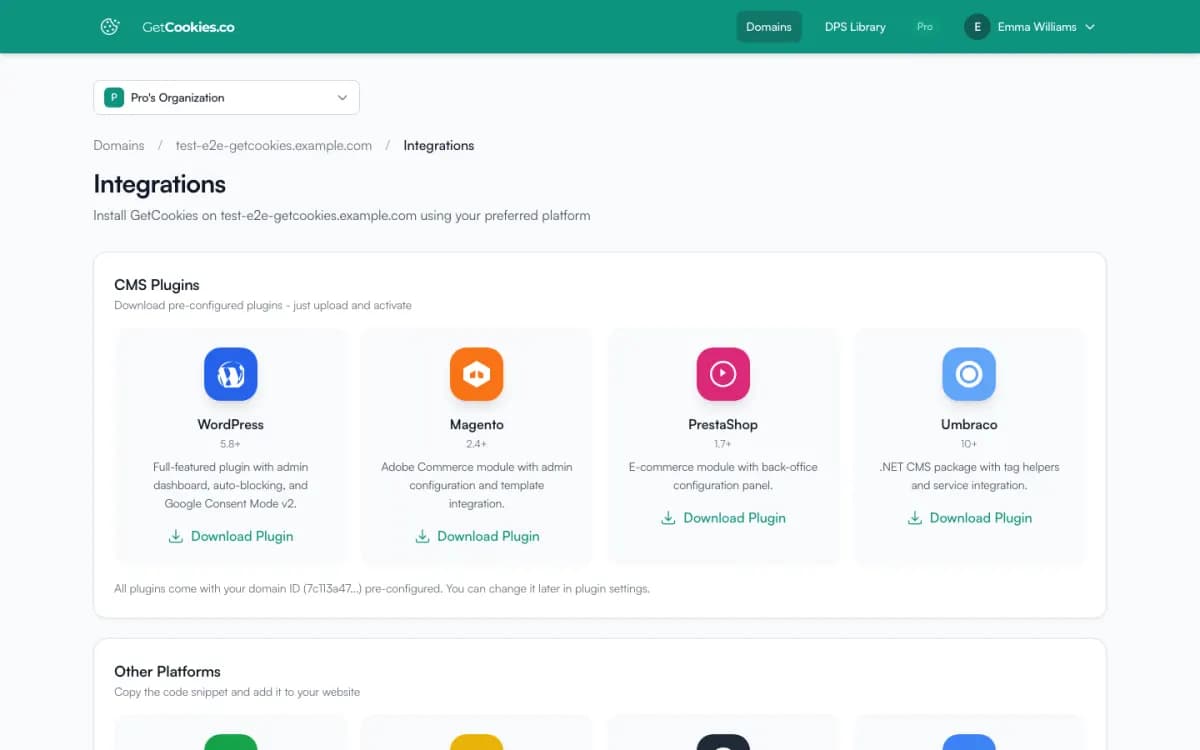
1. In the GetCookies dashboard, open the store's domain, go to Integrations and download the Magento module.
2. Copy it to app/code/GetCookie/CookieConsent, then run bin/magento module:enable GetCookie_CookieConsent, bin/magento setup:upgrade and bin/magento cache:flush (in production mode also setup:di:compile and setup:static-content:deploy).
3. In admin, go to Stores, Configuration, GetCookies, Cookie Consent Settings, set Enable Cookie Consent to Yes and check the domain ID. It is already filled in for the domain you downloaded the module from.
4. Open the store in a private window and check that the banner appears and trackers wait for consent. See the Magento and PrestaShop guide.
Limits
Position and blocking
The banner's position and script blocking are set in the GetCookies dashboard. The module only adds the banner script and your domain ID.
Not on Adobe Commerce Marketplace
The module is downloaded from your dashboard, not from the Marketplace or Composer.
Hard-coded scripts
Scripts that run before the banner loads can still fire. Mark them with
type="text/plain"anddata-cookieconsent, or move them into Google Tag Manager.
Troubleshooting
Banner missing
Flush the Magento cache and full-page cache (Varnish or a CDN) and check the domain ID at the right configuration scope.
Banner missing in production mode
Run
bin/magento setup:static-content:deployafter installing or updating the module.
Frequently asked questions
Which Magento versions are supported?
Magento Open Source and Adobe Commerce 2.4 with PHP 7.4 or later.
Can each store view use a different domain?
Yes. Set the domain ID at website or store-view scope. Each domain counts toward your plan's domain limit (Free 1, Starter 3, Pro 5, Business 50).
Does it handle Google Consent Mode v2?
Yes. The banner sends Consent Mode v2 defaults and updates on every plan. See Google Consent Mode v2.
Try GetCookies on your own site
Start on the Free plan: one domain, a cookie scan and a consent banner, no credit card required. Upgrade only when you need more.
Start free