Integration: Shopify
GetCookies for Shopify
On Shopify you add the GetCookies script to your theme's theme.liquid; there is no Shopify App Store app. The banner then blocks third-party trackers until consent and passes every choice to Shopify's Customer Privacy API, so Shopify analytics, Web Pixels and channel apps such as Google & YouTube or Facebook & Instagram follow it. It works on every GetCookies plan.
What it does on a Shopify store
Banner and blocking on storefront pages
The banner shows on every page rendered by your theme and holds back known trackers until the shopper consents.
Customer Privacy API
Each choice is passed to Shopify with
setTrackingConsent: analytics toanalytics, marketing tomarketingandsale_of_data, preferences topreferences. On later pages it is written again only if Shopify holds a different value.Ad platforms
Google Consent Mode v2 signals are sent on every plan, and the Meta, TikTok, Pinterest, Snapchat, X and Microsoft Ads consent APIs are updated if those tags are on the page.
Shoppers in several regions
Geo-targeting (Pro and above) shows opt-in consent to EU and UK shoppers and an opt-out notice to Californian shoppers.
Who it is for
Shopify merchants who advertise on Google and Meta and want consent that also reaches Shopify's own tracking, managed from a dashboard outside Shopify. If you prefer an app installed from the Shopify App Store and managed inside Shopify admin, a Shopify-native app such as Pandectes may suit you better; see GetCookies vs Pandectes.
Set it up
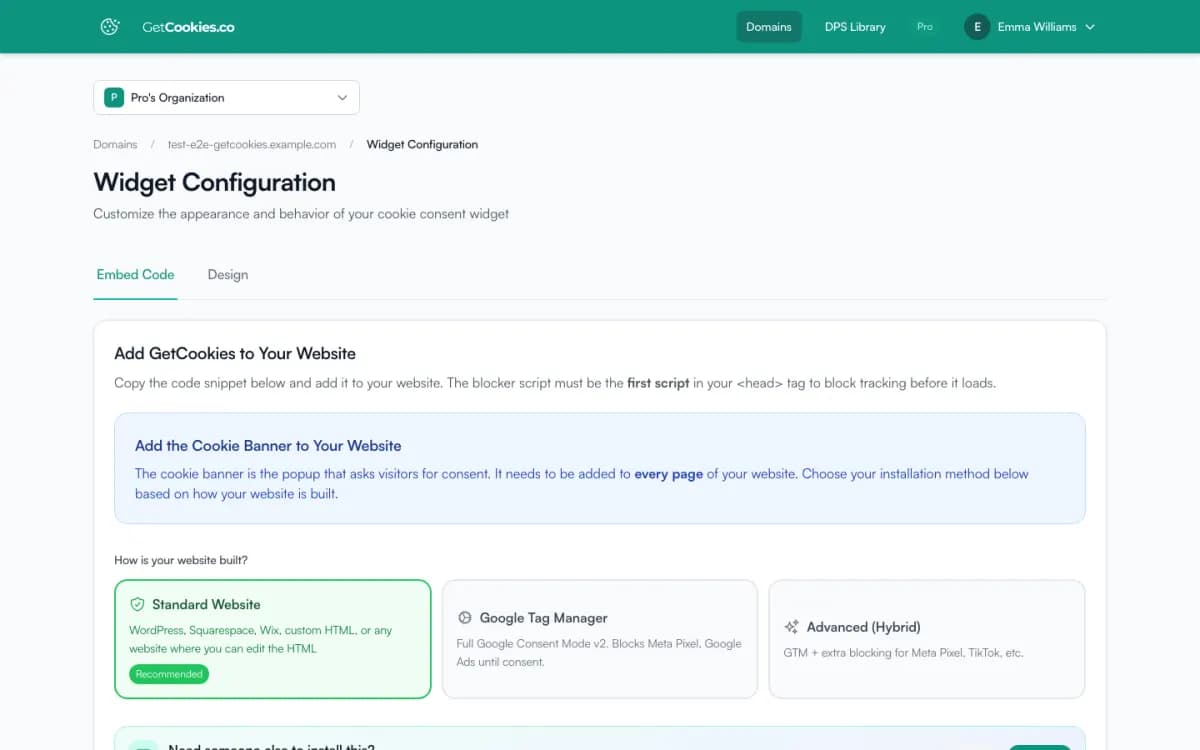
1. Add your store's domain in GetCookies and copy the script from Widget Configuration.
2. In Shopify admin, go to Online Store, Themes, Edit code and open Layout/theme.liquid.
3. Paste the script directly after the opening <head> tag, before other scripts, and save.
4. Under Settings, Customer events, set each custom pixel's customer privacy setting to require Analytics or Marketing permission.
5. Open the store in a private window and check that pixels wait for consent. The full guide is the Shopify setup guide.
Limits
No App Store app
Installation is a theme code edit. Re-add the script if you switch themes.
Checkout
The banner does not run on the Shopify-hosted checkout. Consent given on the storefront still reaches Shopify through the Customer Privacy API.
Headless and Hydrogen
Shopify needs extra parameters for headless storefronts (storefront and checkout domains and a Storefront API token) that the banner does not send. Follow Shopify's Hydrogen consent guide there.
Custom pixels set to Not required
A custom pixel whose customer privacy setting is Not required runs regardless of consent. GetCookies does not change Shopify's settings.
Troubleshooting
Banner does not appear
Check that the domain in GetCookies matches the storefront domain, including a custom domain, and that the script sits inside
<head>.Two banners
Turn off Shopify's own cookie banner and any other consent app, so only one asks.
An app's pixel fires before consent
If the app injects a script into the theme, mark it with
type="text/plain"anddata-cookieconsent="marketing", or move it into Google Tag Manager.
Frequently asked questions
Is there a GetCookies app in the Shopify App Store?
No. You install GetCookies by pasting one script into theme.liquid.
Do Shopify's own pixels respect the banner?
Yes. GetCookies passes each choice to Shopify's Customer Privacy API, which Shopify analytics, Web Pixels and channel apps follow. Custom pixels set to Not required are the exception.
Which plan do I need for Shopify?
Any plan, including Free for one store. Geo-targeting for shoppers in several regions starts on Pro. See pricing.
Does it work on Shopify Markets stores?
Yes. Add each storefront domain you use. More than one banner language needs Business.
Try GetCookies on your own site
Start on the Free plan: one domain, a cookie scan and a consent banner, no credit card required. Upgrade only when you need more.
Start free